Free
$0
Free for as long as you like
- Full editor and live preview
- Quote PDF
- Exports carry a small watermark
Show the homeowner their house lit up, draft a quote within seconds of taking a photo.
Free to try in your browser, no sign-up. The iPhone, iPad and Android apps are coming soon.


Stand at the curb and take one, or use a photo you already have. Straight on is best, but it doesn't have to be perfect.
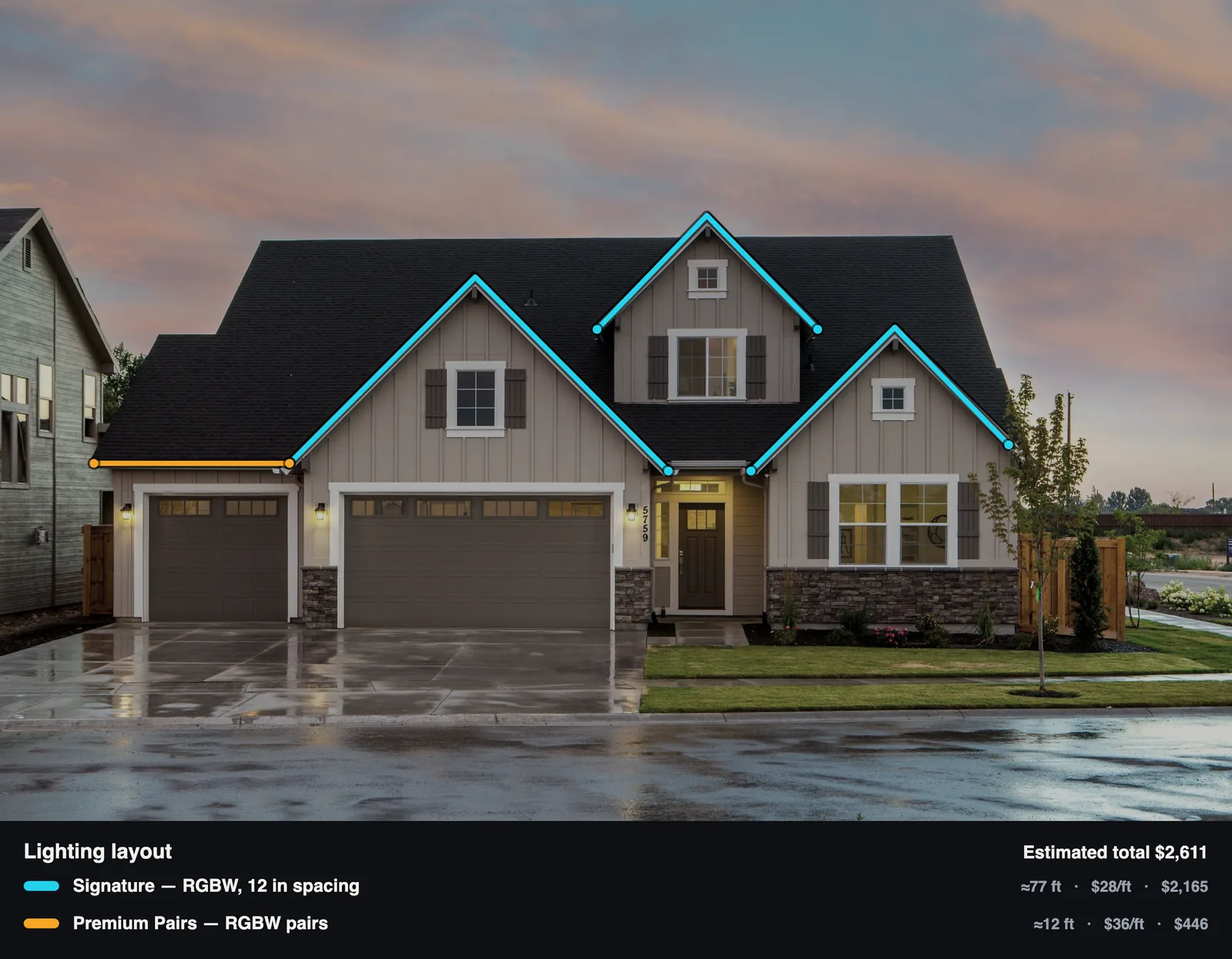
Tap corner to corner along the edges you'd light, or draw with an Apple Pencil on iPad. Each line color is one of your products.
Try day, dusk or night and different colors with the homeowner. The footage and price are already added up, so the quote takes a minute.
These are all renders of one house from a single drawing. Pick a color or a holiday theme, choose dusk or night, and the render is back in about 30 seconds.

The live preview updates as you draw, right on your device. When complete, you can export a render: a realistic picture of the finished job, from the same lines.
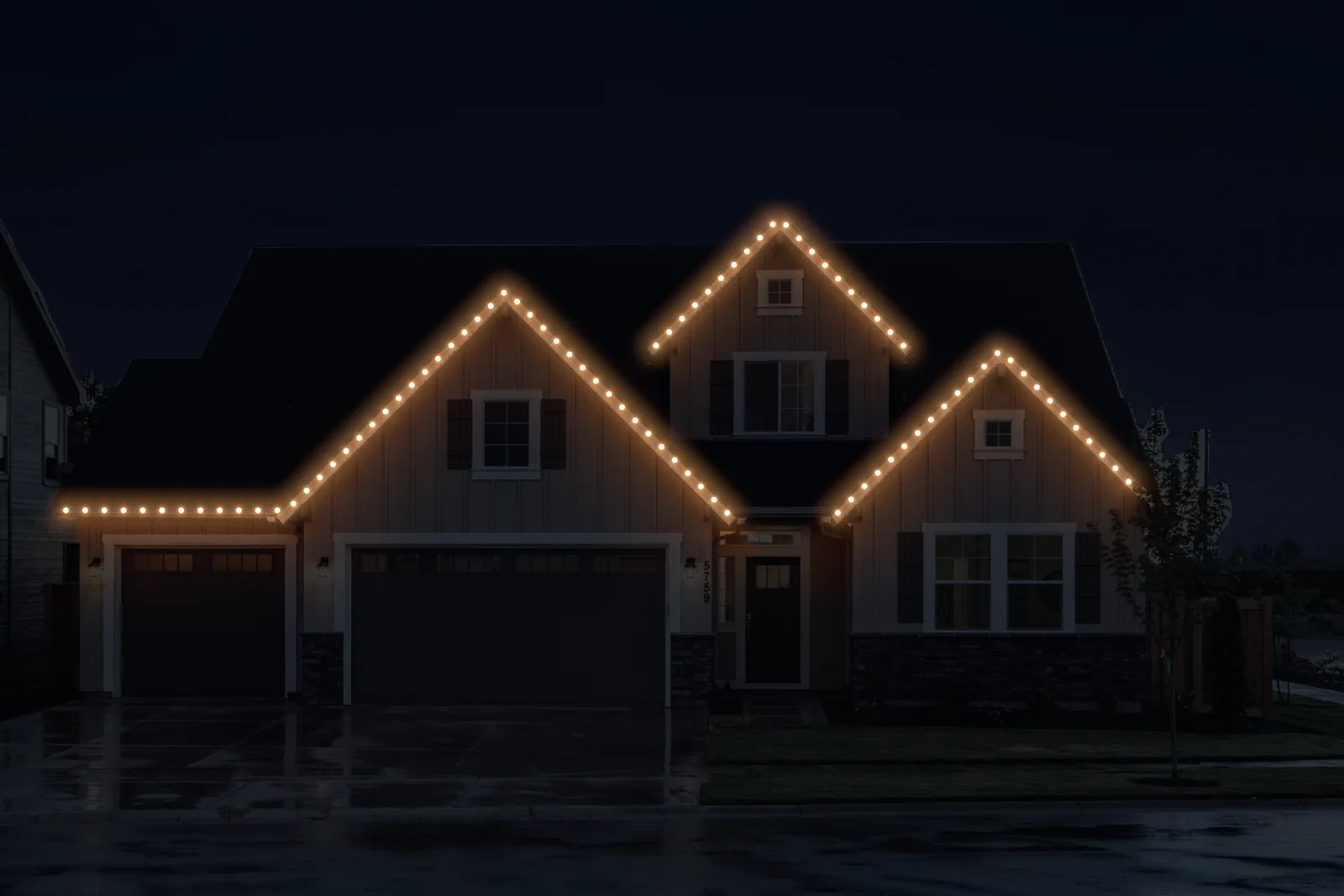
The renders on this page come straight from Better Lights, with nothing painted in or touched up.
Each line color is a product from your price list, with its own name, spacing and price per foot. As you trace, Better Lights measures every run from the photo, counts the lights and keeps a running total.
You can put a legend on the image so the homeowner sees what each line is and what it costs. If you need exact numbers, enter one width you know, like the garage door, or type in your own measurements.
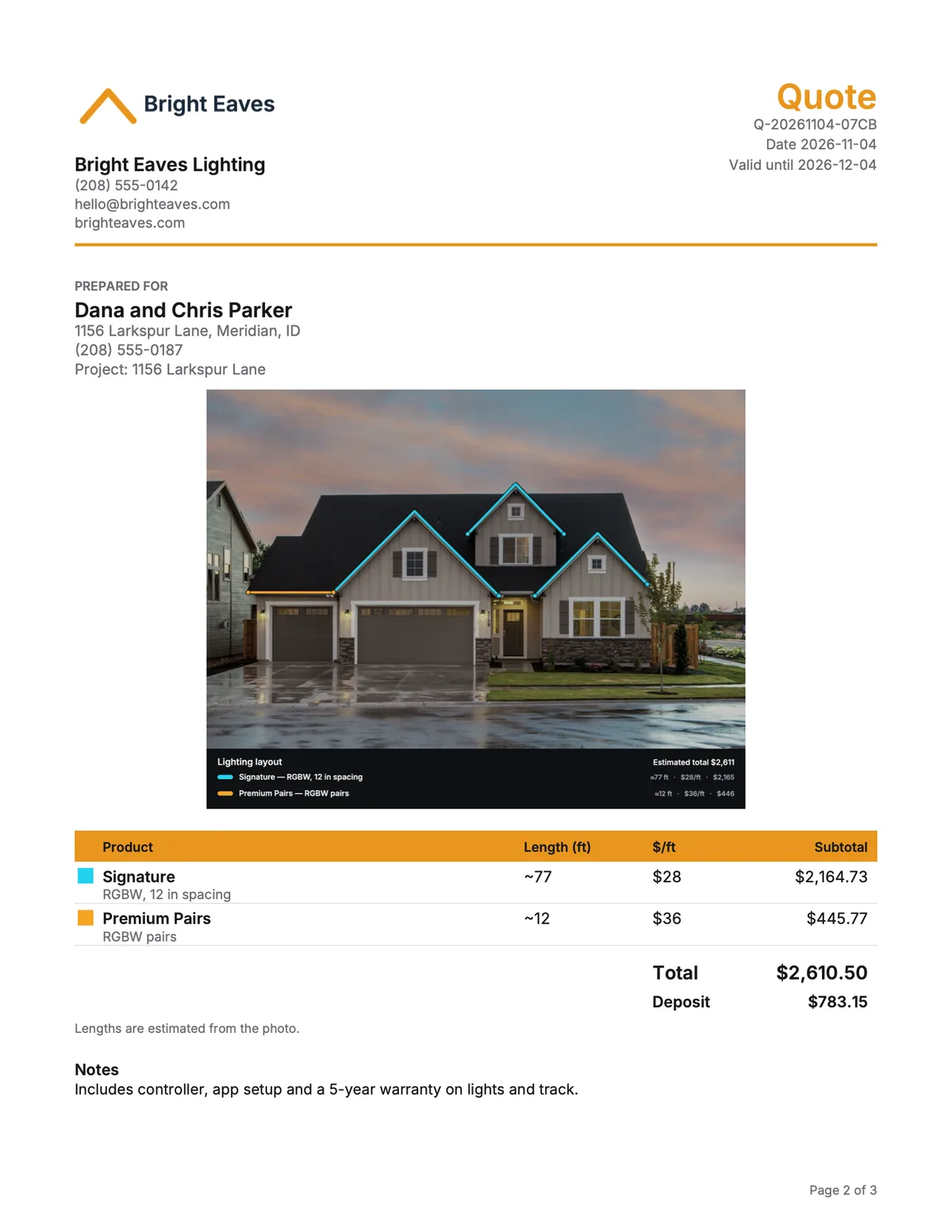
The quote is built from the same drawing. It has your logo and contact info, the homeowner's name and address, a picture of the layout, a line for each product, the total and the deposit.
Quotes on the free plan are plain. Starter adds your logo, and Pro adds the layouts and deposits.
Use it today at app.betterlights.app. There's nothing to install.
A native app, with Apple Pencil tracing on iPad. Coming soon to the App Store.
For phones and tablets. Coming soon to Google Play. Paid plans keep your projects in sync across all of them.
The live preview runs on your device. Your photo is only uploaded when you sync a project or make a render.
Drawing and the live preview are free. Paid plans add sync, your logo on quotes, exports without a watermark and renders every month.
$0
Free for as long as you like
$9.99/ month
or $99.99 a year (save 17%)
$24.99/ month
or $249.99 a year (save 17%)
$49.99/ month
or $499.99 a year (save 17%)
$29per seat / month
or $290 per seat a year (save 17%), from 2 seats
Everything in Max for each rep, including 150 renders a month each. Plus a shared price list and projects, your company branding on every quote, owner and admin roles, and usage reports. Credit packs you buy are shared by the whole team. You set it up on the web.
Try 14 days freeNeed more renders? Credit packs work on any plan, including Free, and they don't expire: 25 for $9.99, 100 for $29.99, 250 for $69.99.
US dollars, before tax. In the iPhone, iPad and Android apps, Apple and Google set the local price. Unused monthly renders carry over for one month, except on Team.
Something else? Email support@betterlights.app and you'll hear back from a real person.
No. You can draw, preview and make a basic quote without one, and your projects stay on your device. You'll need to sign in to sync between devices, put your logo on quotes or make renders.
They're estimated from the photo, which is usually close enough for a first quote. For exact numbers, enter one width you know, like the garage door, or type in the lengths you measured.
A realistic picture of the finished job, made from your photo and the lines you drew. Each one uses a credit. Paid plans come with some every month, and anyone can buy a credit pack.
They stay on your device. A photo is only uploaded when you sync a project on a paid plan or tap Generate to make a render.
Yes. On the Team plan everyone works from the same price list and company branding, and owners and admins manage the team. Each rep gets their own renders every month, and any credit packs you buy are shared.
Any time. If you subscribed in the app, cancel from your App Store or Google Play subscriptions. If you subscribed on the web, go to Plans, then Manage billing, in the web app. Either way, you keep your plan until the end of the period you've paid for.
It's free in the browser. You don't need an account or a card.